HMRC Reporting
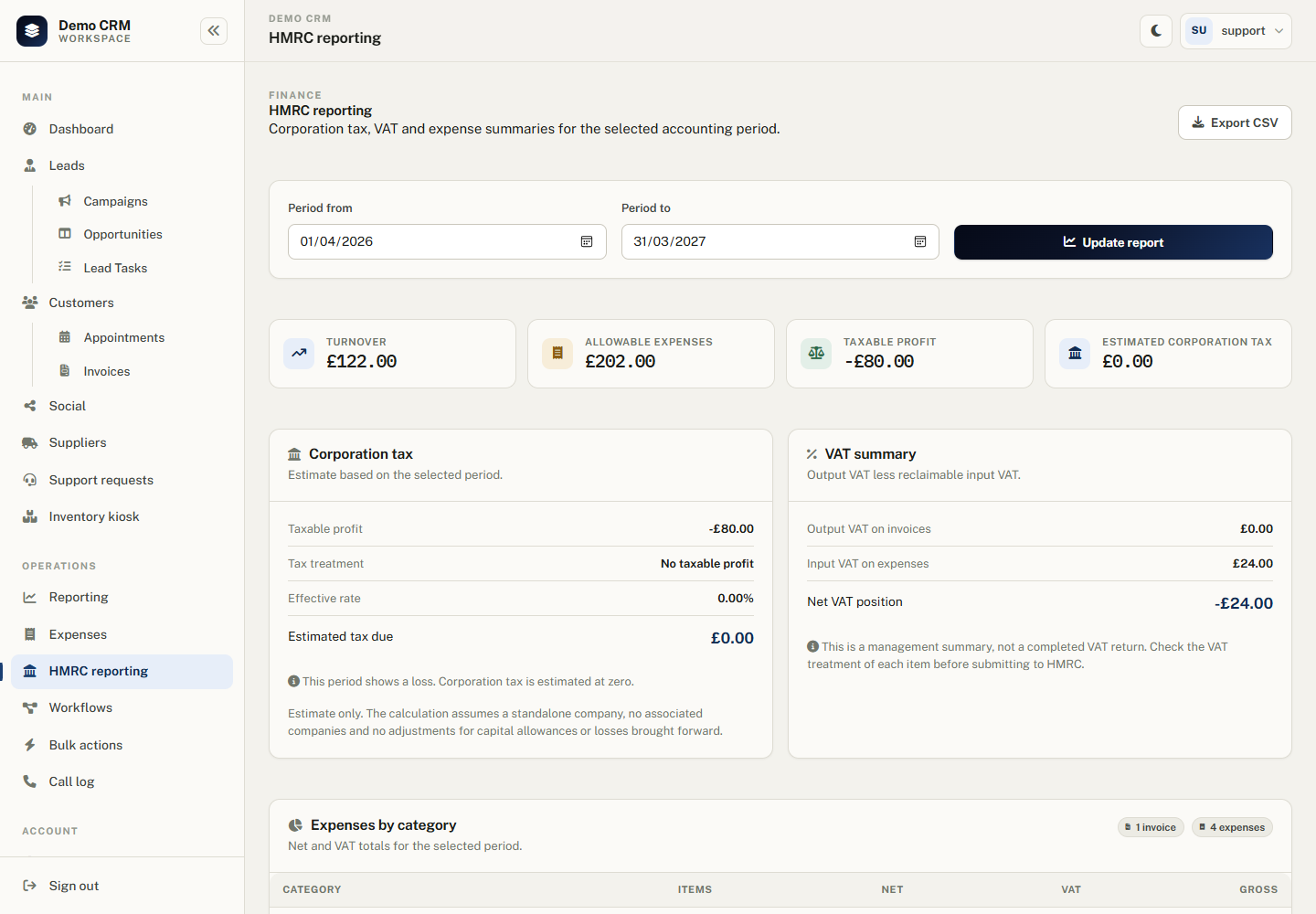
HMRC reporting gives you a management view of turnover, VAT and an estimated corporation tax position for any accounting period. It combines invoices and expenses into one summary with a CSV export.
Estimate, not a filing: this page is a management report. It is not a corporation tax return, VAT return or formal HMRC submission. Always review figures with your accountant before filing.
Enabling HMRC reporting
HMRC reporting is controlled by the HmrcReporting feature toggle in Administration > Feature Toggles, under the Finance group. It is enabled by default on new installations.
While disabled, the HMRC Reporting sidebar link and Reporting page shortcut are hidden, and the reporting pages return Not Found. Enable Expenses as well to populate the expense side of the report.
Choosing the accounting period
Use the Period from and Period to date fields to set the accounting period. The default is the current UK financial year, 1 April to 31 March. You can run any date range you need.
Turnover and output VAT
Turnover is calculated from customer invoices issued in the selected period.
- Invoice subtotal is used, excluding VAT.
- Invoice tax amount is used as output VAT.
- Invoices with a status of Draft, Cancelled or Void are excluded.
- Credit notes are not currently netted off the turnover figure.
Corporation tax estimate
Taxable profit is calculated as:
Turnover − allowable expenses (net)
The estimated corporation tax uses the rates for financial years from 1 April 2023:
| Taxable profit | Treatment |
|---|---|
| £0 or a loss | Estimated tax is £0. |
| Up to £50,000 | 19% small profits rate. |
| £50,001 to £249,999 | 25% main rate less marginal relief. |
| £250,000 and above | 25% main rate. |
Periods ending before 1 April 2023 use the 19% rate. The estimate assumes a standalone company with no associated companies and no adjustments for capital allowances, losses brought forward or other reliefs.
VAT summary
The VAT card shows:
- Output VAT from invoices in the period.
- Input VAT from expenses marked as VAT reclaimable.
- Net VAT position as output VAT minus input VAT.
This is not a VAT return. Check the VAT treatment of each sale and purchase, and account for any VAT schemes or adjustments that apply to your business.
Expense breakdown and export
The report shows a category breakdown with item counts, net, VAT and gross totals. The Export CSV button downloads the period summary and category breakdown for your accountant or records.
Related guides
- Expenses - record costs, categories, receipts and recurring expenses.
- Invoicing — create and send the income records that feed turnover.
- Reporting & Views — other reports and Excel exports.
- Settings & Configuration — feature toggles and lookups.